
Convert PowerPoint Presentations to TIFF in Python
Introduction
TIFF (Tagged Image File Format) is a raster image format that supports multiple pages and lossless compression. It is useful for storing rendered slides in a single image file.
Using Aspose.Slides for Python via Java, you can convert PowerPoint (PPT, PPTX) and OpenDocument (ODP) presentations to TIFF. Each example below starts the Java virtual machine if needed and releases the presentation after use.
Convert a Presentation to TIFF
Using the save method provided by the Presentation class, you can quickly convert an entire PowerPoint presentation to TIFF. The resulting multipage TIFF contains a rendered image of each slide at the default size.
This code demonstrates how to convert a PowerPoint presentation to TIFF:
import jpype
import asposeslides

if not jpype.isJVMStarted():
    jpype.startJVM()

from asposeslides.api import Presentation, SaveFormat

presentation = Presentation("presentation.pptx")
try:
    # Save all slides in a multipage TIFF file.
    presentation.save("output.tiff", SaveFormat.Tiff)
finally:
    presentation.dispose()
Convert a Presentation to Black-and-White TIFF
The method setBwConversionMode in the TiffOptions class allows you to specify the algorithm used when converting a colored slide or image to a black-and-white TIFF. Note that this setting applies only when the setCompressionType method is set to TiffCompressionTypes.CCITT4 or TiffCompressionTypes.CCITT3.
Note
TiffOptions.setBwConversionMode is an export-level setting that selects a pixel-conversion algorithm for the complete TIFF image. To define how an individual shape should appear when black-and-white display mode is active, use Shape.setBlackWhiteMode. See Control Black-and-White Rendering for Shapes for examples.Let’s say we have a “sample.pptx” file with the following slide:
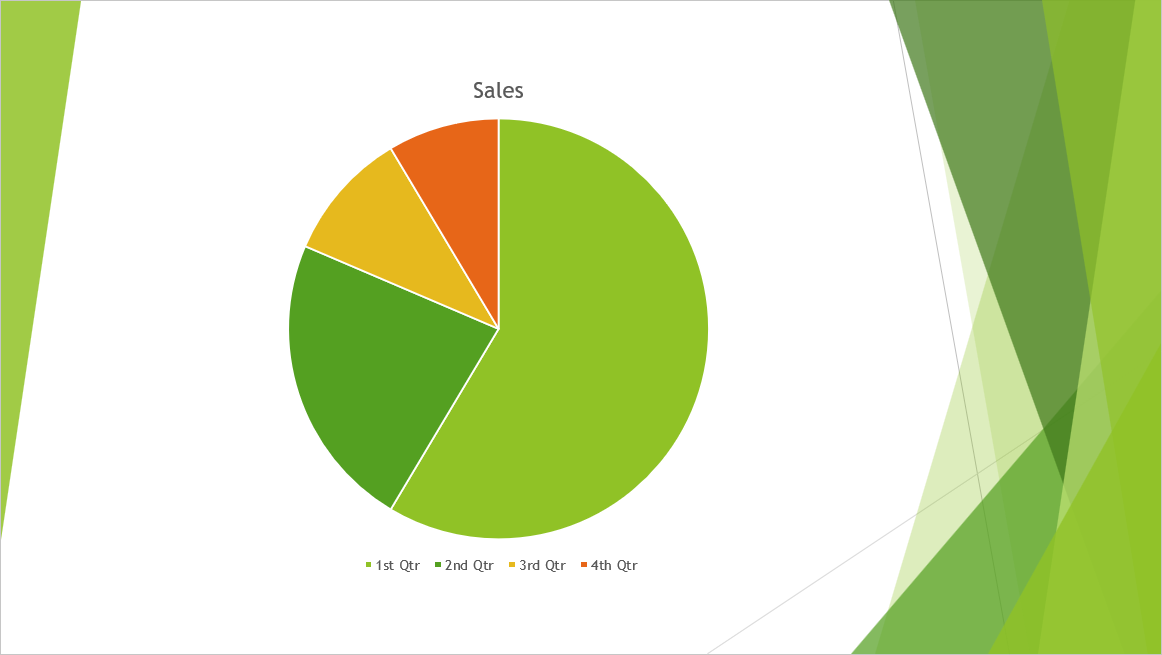
This code demonstrates how to convert the colored slide to a black-and-white TIFF:
import jpype
import asposeslides

if not jpype.isJVMStarted():
    jpype.startJVM()

from asposeslides.api import BlackWhiteConversionMode, Presentation, SaveFormat, TiffCompressionTypes, TiffOptions

tiff_options = TiffOptions()
tiff_options.setCompressionType(TiffCompressionTypes.CCITT4)
tiff_options.setBwConversionMode(BlackWhiteConversionMode.Dithering)

presentation = Presentation("sample.pptx")
try:
    presentation.save("output.tiff", SaveFormat.Tiff, tiff_options)
finally:
    presentation.dispose()
The result:
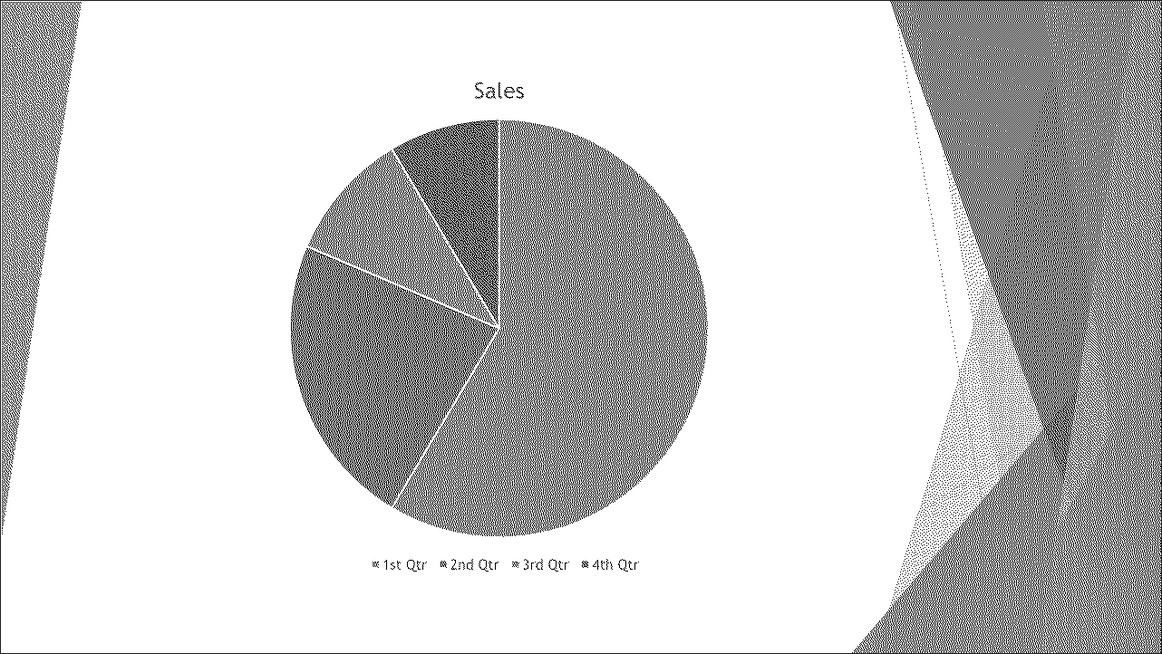
Convert a Presentation to TIFF with a Custom Size
If you require a TIFF image with specific dimensions, you can set your desired values using methods available in TiffOptions. For instance, the setImageSize method allows you to define the size of the resulting image.
This code demonstrates how to convert a PowerPoint presentation to TIFF images with a custom size:
import jpype
import asposeslides

if not jpype.isJVMStarted():
    jpype.startJVM()

from asposeslides.api import NotesCommentsLayoutingOptions, NotesPositions, Presentation, SaveFormat, TiffCompressionTypes, TiffOptions
from java.awt import Dimension

presentation = Presentation("presentation.pptx")
try:
    tiff_options = TiffOptions()
    tiff_options.setCompressionType(TiffCompressionTypes.Default)

    # Set the horizontal and vertical resolution.
    tiff_options.setDpiX(200)
    tiff_options.setDpiY(200)

    # Set the output dimensions in pixels.
    image_size = Dimension(1728, 1078)
    tiff_options.setImageSize(image_size)

    # Include the complete speaker notes below each slide.
    notes_options = NotesCommentsLayoutingOptions()
    notes_options.setNotesPosition(NotesPositions.BottomFull)
    tiff_options.setSlidesLayoutOptions(notes_options)

    presentation.save("tiff-ImageSize.tiff", SaveFormat.Tiff, tiff_options)
finally:
    presentation.dispose()
Convert a Presentation to TIFF with a Custom Image Pixel Format
Using the setPixelFormat method from the TiffOptions class, you can specify your preferred pixel format for the resulting TIFF image.
This code demonstrates how to convert a PowerPoint presentation to a TIFF image with a custom pixel format:
import jpype
import asposeslides

if not jpype.isJVMStarted():
    jpype.startJVM()

from asposeslides.api import ImagePixelFormat, Presentation, SaveFormat, TiffOptions

presentation = Presentation("presentation.pptx")
try:
    tiff_options = TiffOptions()
    tiff_options.setPixelFormat(ImagePixelFormat.Format8bppIndexed)

    presentation.save("Tiff-PixelFormat.tiff", SaveFormat.Tiff, tiff_options)
finally:
    presentation.dispose()
Tip
Check out Aspose’s FREE PowerPoint to Poster converter.FAQ
Can I convert an individual slide instead of an entire PowerPoint presentation to TIFF?
Yes. Aspose.Slides allows you to convert individual slides from PowerPoint and OpenDocument presentations into TIFF images separately.
Is there any limit to the number of slides when converting a presentation to TIFF?
There is no fixed slide-count limit for TIFF export. Available memory, slide complexity, and output dimensions affect the size of presentations you can process.
Are PowerPoint animations and transition effects preserved when converting slides to TIFF?
No, TIFF is a static image format. Therefore, animations and transition effects are not preserved; only static snapshots of slides are exported.