
Apply Shape Effects in Presentations Using Python via Java
Introduction
While effects in PowerPoint can be used to make a shape stand out, they differ from fills or outlines. Using PowerPoint effects, you can create convincing reflections on a shape, spread a shape’s glow, etc.

PowerPoint provides six effects that can be applied to shapes. You can apply one or more effects to a shape.
Some combinations of effects look better than others. For this reason, PowerPoint provides options under Preset. The Preset options are combinations of two or more effects that are known to look good. This way, by selecting a preset, you won’t have to waste time testing or combining different effects to find a nice combination.
Aspose.Slides provides properties and methods under the EffectFormat class that allow you to apply the same effects to shapes in PowerPoint presentations.
Apply a Shadow Effect
Aspose.Slides for Python via Java supports outer and inner shadows for shapes. You can customize their color, direction, distance, and blur radius to match your presentation’s design.
Apply an Outer Shadow
Use an outer shadow to make a card or panel stand out against the slide background. The shadow extends beyond the shape’s edges, creating the impression that the shape is raised above the slide. Adjust its color, direction, distance, and blur radius to match the lighting and styling of your template.
This Python code shows how to apply the outer shadow effect to a rectangle:
import jpype
import asposeslides

if not jpype.isJVMStarted():
    jpype.startJVM()

from asposeslides.api import Presentation, SaveFormat, ShapeType
from java.awt import Color

presentation = Presentation()
try:
    slide = presentation.getSlides().get_Item(0)

    shape = slide.getShapes().addAutoShape(ShapeType.RoundCornerRectangle, 20, 20, 200, 100)
    shape.getEffectFormat().enableOuterShadowEffect()
    shape.getEffectFormat().getOuterShadowEffect().getShadowColor().setColor(Color(169, 169, 169))
    shape.getEffectFormat().getOuterShadowEffect().setDistance(10)
    shape.getEffectFormat().getOuterShadowEffect().setDirection(45)

    presentation.save("shadow_effect.pptx", SaveFormat.Pptx)
finally:
    presentation.dispose()

Apply an Inner Shadow
When reproducing a template’s visual styling, use an inner shadow to give a card or panel a recessed appearance. An outer shadow extends outside the shape and makes it appear raised, while an inner shadow shades the inside of its edges.
Call enableInnerShadowEffect, then configure the shadow returned by getInnerShadowEffect. Larger blur radius values produce softer edges.
This Python example creates a light blue card with a dark gray inner shadow and saves it as a PPTX file. The shadow direction is 225 degrees, its distance is 7 points, and its blur radius is 6 points:
import jpype
import asposeslides

if not jpype.isJVMStarted():
    jpype.startJVM()

from asposeslides.api import FillType, Presentation, SaveFormat, ShapeType
from java.awt import Color

presentation = Presentation()
try:
    slide = presentation.getSlides().get_Item(0)

    shape = slide.getShapes().addAutoShape(ShapeType.Rectangle, 20, 20, 200, 100)
    shape.getFillFormat().setFillType(FillType.Solid)
    shape.getFillFormat().getSolidFillColor().setColor(Color(173, 216, 230))
    shape.getLineFormat().getFillFormat().setFillType(FillType.NoFill)

    shape.getEffectFormat().enableInnerShadowEffect()
    shadow = shape.getEffectFormat().getInnerShadowEffect()
    shadow.getShadowColor().setColor(Color(105, 105, 105))
    shadow.setDirection(225)
    shadow.setDistance(7)
    shadow.setBlurRadius(6)

    presentation.save("inner_shadow_effect.pptx", SaveFormat.Pptx)
finally:
    presentation.dispose()

To remove the inner shadow, call disableInnerShadowEffect on the shape’s effect format.
Apply a Reflection Effect
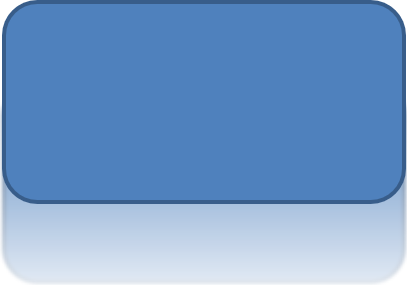
To apply a reflection effect in Aspose.Slides for Python via Java, you can add a mirror-like reflection to shapes, adjusting parameters such as distance, transparency, and size. This effect enhances the aesthetic of your presentations by giving shapes a more polished and sophisticated look. It’s easy to implement with simple code, enabling quick application across multiple elements for a consistent design.
This Python code shows how to apply the reflection effect to a shape:
import jpype
import asposeslides

if not jpype.isJVMStarted():
    jpype.startJVM()

from asposeslides.api import Presentation, RectangleAlignment, SaveFormat, ShapeType

presentation = Presentation()
try:
    slide = presentation.getSlides().get_Item(0)

    shape = slide.getShapes().addAutoShape(ShapeType.RoundCornerRectangle, 20, 20, 200, 100)
    shape.getEffectFormat().enableReflectionEffect()
    shape.getEffectFormat().getReflectionEffect().setRectangleAlign(RectangleAlignment.Bottom)
    shape.getEffectFormat().getReflectionEffect().setDirection(90)
    shape.getEffectFormat().getReflectionEffect().setDistance(40)
    shape.getEffectFormat().getReflectionEffect().setBlurRadius(2)

    presentation.save("reflection_effect.pptx", SaveFormat.Pptx)
finally:
    presentation.dispose()
Apply a Glow Effect
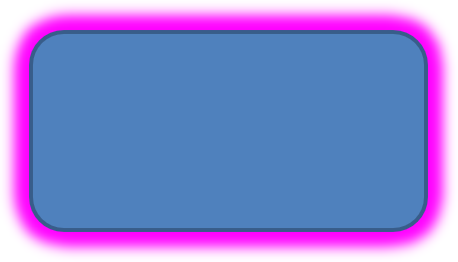
To apply a glow effect to a shape in Aspose.Slides for Python via Java, you can add a soft, luminous aura around shapes, adjusting properties like color and size. This effect helps make shapes stand out and adds an attractive, eye-catching visual element to your presentation. It’s easy to implement with minimal code, enhancing the overall look of your slides.
This Python code shows how to apply the glow effect to a shape:
import jpype
import asposeslides

if not jpype.isJVMStarted():
    jpype.startJVM()

from asposeslides.api import Presentation, SaveFormat, ShapeType
from java.awt import Color

presentation = Presentation()
try:
    slide = presentation.getSlides().get_Item(0)

    shape = slide.getShapes().addAutoShape(ShapeType.RoundCornerRectangle, 20, 20, 200, 100)
    shape.getEffectFormat().enableGlowEffect()
    shape.getEffectFormat().getGlowEffect().getColor().setColor(Color.MAGENTA)
    shape.getEffectFormat().getGlowEffect().setRadius(15)

    presentation.save("glow_effect.pptx", SaveFormat.Pptx)
finally:
    presentation.dispose()
Apply a Soft Edges Effect
To apply a soft edges effect in Aspose.Slides for Python via Java, you can create a smooth, blurred transition around the edges of a shape. This effect adds a more subtle and refined look, perfect for designs that need a gentle, softer appearance. You can easily adjust parameters like radius to achieve the desired effect across various shapes in your presentation.
This Python code shows how to apply the soft edges effect to a shape:
import jpype
import asposeslides

if not jpype.isJVMStarted():
    jpype.startJVM()

from asposeslides.api import Presentation, SaveFormat, ShapeType

presentation = Presentation()
try:
    slide = presentation.getSlides().get_Item(0)

    shape = slide.getShapes().addAutoShape(ShapeType.RoundCornerRectangle, 20, 20, 200, 150)
    shape.getEffectFormat().enableSoftEdgeEffect()
    shape.getEffectFormat().getSoftEdgeEffect().setRadius(8)

    presentation.save("soft_edges_effect.pptx", SaveFormat.Pptx)
finally:
    presentation.dispose()

FAQ
Can I apply multiple effects to the same shape?
Yes, you can combine different effects, such as shadow, reflection, and glow, on a single shape to create a more dynamic appearance.
What shapes can I apply effects to?
You can apply effects to various shapes, including autoshapes, charts, tables, pictures, SmartArt objects, OLE objects, and more.
Can I apply effects to grouped shapes?
Yes, you can apply effects to grouped shapes. The effect will apply to the entire group.