
แปลงงานนำเสนอ PowerPoint เป็น TIFF ใน Python
แนะนำ
TIFF (Tagged Image File Format) เป็นรูปแบบภาพเรสเตอร์แบบไม่สูญเสียข้อมูลที่ได้รับความนิยมอย่างกว้างขวาง เนื่องจากคุณภาพยอดเยี่ยมและการรักษารายละเอียดของกราฟิกได้อย่างครบถ้วน นักออกแบบ ช่างภาพ และผู้ทำสื่อสิ่งพิมพ์บนเดสก์ท็อปมักเลือกใช้ TIFF เพื่อคงความชั้น, ความแม่นยำของสี, และการตั้งค่าต้นฉบับของภาพ
ด้วย Aspose.Slides คุณสามารถแปลงสไลด์ PowerPoint (PPT, PPTX) และสไลด์ OpenDocument (ODP) เป็นภาพ TIFF คุณภาพสูงได้อย่างง่ายดาย ทำให้การนำเสนอของคุณคงความคมชัดสูงสุด
แปลงงานนำเสนอเป็น TIFF
โดยใช้เมธอด save ที่มาจากคลาส Presentation คุณสามารถแปลงงานนำเสนอ PowerPoint ทั้งหมดเป็น TIFF ได้อย่างรวดเร็ว ภาพ TIFF ที่ได้จะสอดคล้องกับขนาดสไลด์เริ่มต้น
โค้ด Python ตัวอย่างต่อไปนี้แสดงวิธีแปลงงานนำเสนอ PowerPoint เป็น TIFF:
import aspose.slides as slides

# สร้างอินสแตนซ์ของคลาส Presentation ที่แสดงถึงไฟล์งานนำเสนอ (PPT, PPTX, ODP ฯลฯ).
with slides.Presentation("presentation.pptx") as presentation:
    # บันทึกงานนำเสนอเป็น TIFF.
    presentation.save("output.tiff", slides.export.SaveFormat.TIFF)
แปลงงานนำเสนอเป็น TIFF สีขาว-ดำ
คุณสมบัติ bw_conversion_mode ในคลาส TiffOptions ให้คุณกำหนดอัลกอริธึมที่ใช้เมื่อต้องแปลงสไลด์หรือภาพสีเป็น TIFF สีขาว-ดำ โปรดทราบว่าการตั้งค่านี้จะมีผลเฉพาะเมื่อคุณสมบัติ compression_type ถูกตั้งค่าเป็น CCITT4 หรือ CCITT3
หมายเหตุ
TiffOptions.bw_conversion_mode เป็นการตั้งค่าระดับการส่งออกที่เลือกอัลกอริธึมการแปลงพิกเซลสำหรับภาพ TIFF ทั้งหมด หากต้องการกำหนดวิธีการแสดงผลของรูปร่างเดี่ยวเมื่อเปิดโหมดสีขาว-ดำ ให้ใช้ Shape.black_white_mode. ดูตัวอย่างที่ Control Black-and-White Rendering for Shapesสมมติว่ามีไฟล์ “sample.pptx” ที่มีสไลด์ดังต่อไปนี้:
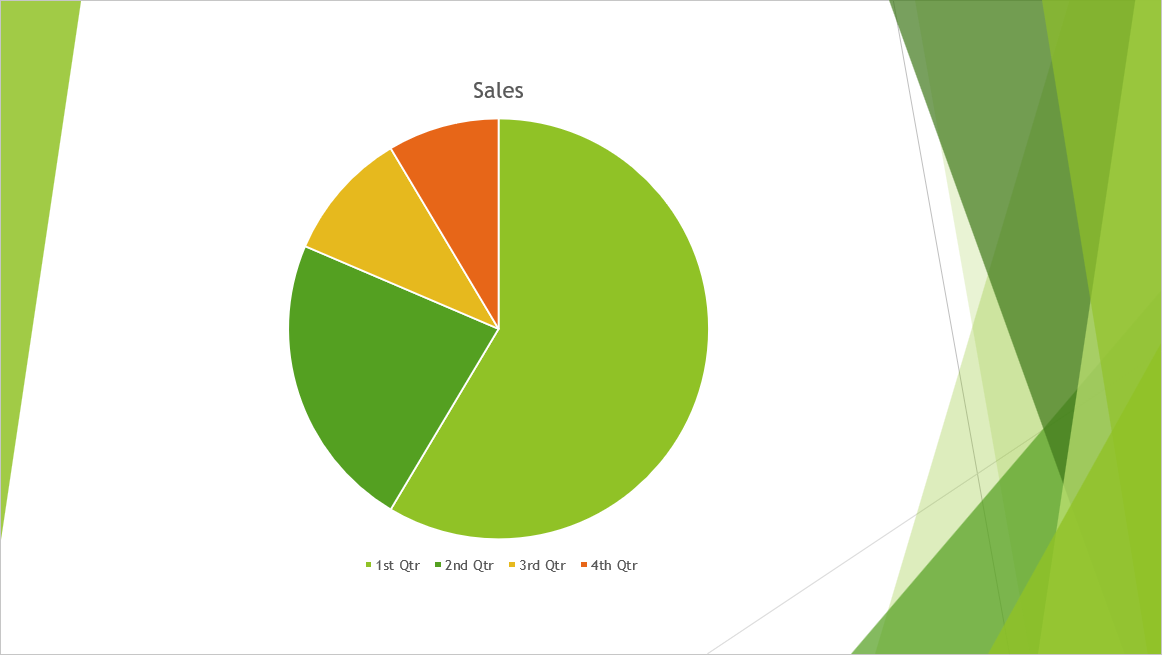
โค้ด Python นี้แสดงวิธีแปลงสไลด์สีเป็น TIFF สีขาว-ดำ:
import aspose.slides as slides

tiff_options = slides.export.TiffOptions()
tiff_options.compression_type = slides.export.TiffCompressionTypes.CCITT4
tiff_options.bw_conversion_mode = slides.export.BlackWhiteConversionMode.DITHERING

with slides.Presentation("sample.pptx") as presentation:
    presentation.save("output.tiff", slides.export.SaveFormat.TIFF, tiff_options)
ผลลัพธ์:

แปลงงานนำเสนอเป็น TIFF ด้วยขนาดที่กำหนดเอง
หากต้องการภาพ TIFF ที่มีขนาดเฉพาะ คุณสามารถตั้งค่าที่ต้องการได้โดยใช้คุณสมบัติที่มีใน TiffOptions ตัวอย่างเช่น คุณสมบัติ image_size ช่วยให้คุณกำหนดขนาดของภาพที่ได้
โค้ด Python ตัวอย่างต่อไปนี้แสดงวิธีแปลงงานนำเสนอ PowerPoint เป็นภาพ TIFF ด้วยขนาดที่กำหนดเอง:
import aspose.slides as slides
import aspose.pydrawing as drawing

# สร้างอินสแตนซ์ของคลาส Presentation ที่แสดงถึงไฟล์งานนำเสนอ (PPT, PPTX, ODP ฯลฯ).
with slides.Presentation("sample.pptx") as presentation:
    tiff_options = slides.export.TiffOptions()

    # ตั้งค่าประเภทการบีบอัด.
    tiff_options.compression_type = slides.export.TiffCompressionTypes.DEFAULT
    """
    Compression types:
        Default - Specifies the default compression scheme (LZW).
        None - Specifies no compression.
        CCITT3
        CCITT4
        LZW
        RLE
    """

    # ตั้งค่า DPI ของภาพ.
    tiff_options.dpi_x = 200
    tiff_options.dpi_y = 200

    # ตั้งค่าขนาดภาพ.
    tiff_options.image_size = drawing.Size(1728, 1078)

    notes_options = slides.export.NotesCommentsLayoutingOptions()
    notes_options.notes_position = slides.export.NotesPositions.BOTTOM_FULL
    tiff_options.slides_layout_options = notes_options

    # บันทึกงานนำเสนอเป็น TIFF ด้วยขนาดที่ระบุ.
    presentation.save("custom_size.tiff", slides.export.SaveFormat.TIFF, tiff_options)
แปลงงานนำเสนอเป็น TIFF ด้วยรูปแบบพิกเซลของภาพที่กำหนดเอง
โดยใช้คุณสมบัติ pixel_format จากคลาส TiffOptions คุณสามารถระบุรูปแบบพิกเซลที่ต้องการสำหรับภาพ TIFF ที่ได้
โค้ด Python นี้แสดงวิธีแปลงงานนำเสนอ PowerPoint เป็นภาพ TIFF ด้วยรูปแบบพิกเซลที่กำหนดเอง:
import aspose.slides as slides

# สร้างอินสแตนซ์ของคลาส Presentation ที่แสดงถึงไฟล์งานนำเสนอ (PPT, PPTX, ODP ฯลฯ).
with slides.Presentation("Presentation.pptx") as presentation:
    tiff_options = slides.export.TiffOptions()

    tiff_options.pixel_format = slides.export.ImagePixelFormat.FORMAT_8BPP_INDEXED
    """
    ImagePixelFormat contains the following values (as stated in the documentation):
        FORMAT_1BPP_INDEXED - 1 bit per pixel, indexed.
        FORMAT_4BPP_INDEXED - 4 bits per pixel, indexed.
        FORMAT_8BPP_INDEXED - 8 bits per pixel, indexed.
        FORMAT_24BPP_RGB    - 24 bits per pixel, RGB.
        FORMAT_32BPP_ARGB   - 32 bits per pixel, ARGB.
    """

    # Save the presentation as TIFF with the specified pixel format.
    presentation.save("Custom_Image_Pixel_Format.tiff", slides.export.SaveFormat.TIFF, tiff_options)
เคล็ดลับ
ลองใช้ FREE PowerPoint to Poster converter ของ Asposeคำถามที่พบบ่อย
ฉันสามารถแปลงสไลด์เดี่ยวแทนการแปลงงานนำเสนอ PowerPoint ทั้งหมดเป็น TIFF ได้หรือไม่?
ได้ Aspose.Slides รองรับการแปลงสไลด์เดี่ยวจากงานนำเสนอ PowerPoint หรือ OpenDocument เป็นภาพ TIFF แยกกันได้
มีขีดจำกัดจำนวนสไลด์เมื่อแปลงงานนำเสนอเป็น TIFF หรือไม่?
ไม่มี Aspose.Slides ไม่กำหนดข้อจำกัดจำนวนสไลด์ คุณสามารถแปลงงานนำเสนอขนาดใดก็ได้เป็นรูปแบบ TIFF
ภาพเคลื่อนไหวและเอฟเฟกต์การเปลี่ยนสไลด์ของ PowerPoint จะถูกเก็บรักษาไว้เมื่อแปลงเป็น TIFF หรือไม่?
ไม่ TIFF เป็นรูปแบบภาพคงที่ ดังนั้นภาพเคลื่อนไหวและเอฟเฟกต์การเปลี่ยนสไลด์จะไม่ถูกเก็บรักษาไว้ มีเพียงภาพนิ่งของสไลด์ที่ถูกส่งออกเท่านั้น