
在 PHP 中创建并应用 WordArt 效果
概述
WordArt 效果可让您使用填充、轮廓、阴影、反射、发光、变换和 3D 格式化来美化文本。本文阐述如何在未安装 Microsoft Office 的情况下,使用 Aspose.Slides for PHP via Java 在 PowerPoint 演示文稿中创建和自定义这些效果。
创建简单的WordArt模板并将其应用于文本
以下示例通过设置文本、字体、图案填充和轮廓来构建简单的 WordArt 样式。
每个示例都会创建一个新演示文稿并在其第一张幻灯片上添加一个矩形;无需提供输入文件。第一个示例将文本设置为 “Aspose.Slides”。形状的位置和尺寸以点为单位:
use aspose\slides\Presentation;
use aspose\slides\ShapeType;

$presentation = new Presentation();
try {
    $slide = $presentation->getSlides()->get_Item(0);

    $autoShape = $slide->getShapes()->addAutoShape(ShapeType::Rectangle, 20, 20, 400, 200);
    $textFrame = $autoShape->getTextFrame();

    $portion = $textFrame->getParagraphs()->get_Item(0)->getPortions()->get_Item(0);
    $portion->setText("Aspose.Slides");
} finally {
    $presentation->dispose();
}
将字体设置为 36 点的 Arial Black,以便更明显地显示格式:
use aspose\slides\FontData;
use aspose\slides\Presentation;
use aspose\slides\ShapeType;

$presentation = new Presentation();
try {
    $slide = $presentation->getSlides()->get_Item(0);

    $autoShape = $slide->getShapes()->addAutoShape(ShapeType::Rectangle, 20, 20, 400, 200);

    $portion = $autoShape->getTextFrame()->getParagraphs()->get_Item(0)->getPortions()->get_Item(0);
    $portion->setText("Aspose.Slides");
    $font = new FontData("Arial Black");
    $portion->getPortionFormat()->setLatinFont($font);
    $portion->getPortionFormat()->setFontHeight(36);
} finally {
    $presentation->dispose();
}
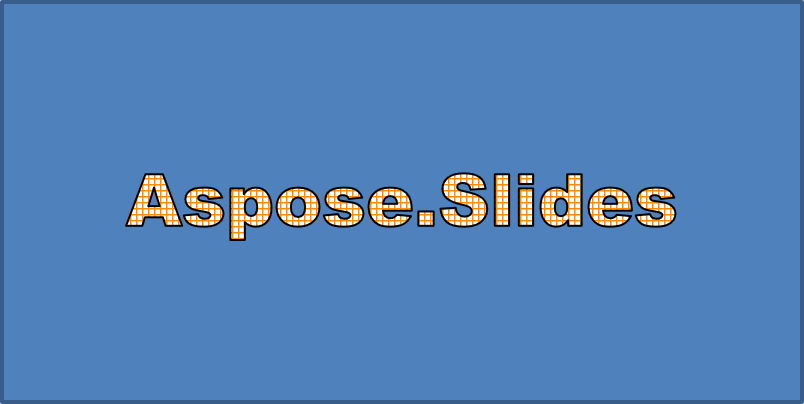
应用带有深橙色前景和白色背景的 SmallGrid 图案,然后添加宽度为 1 点的黑色文本轮廓:
use aspose\slides\FillType;
use aspose\slides\FontData;
use aspose\slides\PatternStyle;
use aspose\slides\Presentation;
use aspose\slides\ShapeType;

$presentation = new Presentation();
try {
    $slide = $presentation->getSlides()->get_Item(0);

    $autoShape = $slide->getShapes()->addAutoShape(ShapeType::Rectangle, 20, 20, 400, 200);

    $portion = $autoShape->getTextFrame()->getParagraphs()->get_Item(0)->getPortions()->get_Item(0);
    $portion->setText("Aspose.Slides");
    $font = new FontData("Arial Black");
    $portion->getPortionFormat()->setLatinFont($font);
    $portion->getPortionFormat()->setFontHeight(36);

    $portion->getPortionFormat()->getFillFormat()->setFillType(FillType::Pattern);
    $darkOrange = new Java("java.awt.Color", 255, 140, 0);
    $portion->getPortionFormat()->getFillFormat()->getPatternFormat()->getForeColor()->setColor($darkOrange);
    $portion->getPortionFormat()->getFillFormat()->getPatternFormat()->getBackColor()->setColor(java("java.awt.Color")->WHITE);
    $portion->getPortionFormat()->getFillFormat()->getPatternFormat()->setPatternStyle(PatternStyle::SmallGrid);

    $portion->getPortionFormat()->getLineFormat()->setWidth(1);
    $portion->getPortionFormat()->getLineFormat()->getFillFormat()->setFillType(FillType::Solid);
    $portion->getPortionFormat()->getLineFormat()->getFillFormat()->getSolidFillColor()->setColor(java("java.awt.Color")->BLACK);
} finally {
    $presentation->dispose();
}
生成的文本:
应用其他WordArt效果
以下示例演示如何对文本应用阴影、反射、发光、变换和 3D 效果。
应用外部阴影效果
外部阴影通过在文本后放置阴影来增加深度。您可以自定义其颜色、方向、距离、模糊半径、缩放和倾斜。
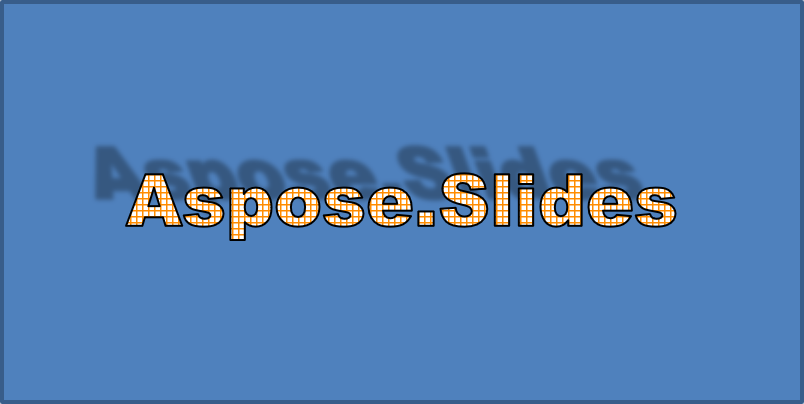
此示例调用 enableOuterShadowEffect,设置黑色阴影,模糊半径为 4 点,方向为 230 度,距离为 30 点。缩放值为 100 保持阴影大小不变,水平倾斜使其倾斜 20 度。Alpha 变换将不透明度设为 32%:
use aspose\slides\ColorTransformOperation;
use aspose\slides\FontData;
use aspose\slides\Presentation;
use aspose\slides\ShapeType;

$presentation = new Presentation();
try {
    $slide = $presentation->getSlides()->get_Item(0);

    $autoShape = $slide->getShapes()->addAutoShape(ShapeType::Rectangle, 20, 20, 400, 200);

    $portion = $autoShape->getTextFrame()->getParagraphs()->get_Item(0)->getPortions()->get_Item(0);
    $portion->setText("Aspose.Slides");
    $font = new FontData("Arial Black");
    $portion->getPortionFormat()->setLatinFont($font);
    $portion->getPortionFormat()->setFontHeight(36);

    $portion->getPortionFormat()->getEffectFormat()->enableOuterShadowEffect();
    $portion->getPortionFormat()->getEffectFormat()->getOuterShadowEffect()->getShadowColor()->setColor(java("java.awt.Color")->BLACK);
    $portion->getPortionFormat()->getEffectFormat()->getOuterShadowEffect()->setScaleHorizontal(100);
    $portion->getPortionFormat()->getEffectFormat()->getOuterShadowEffect()->setScaleVertical(100);
    $portion->getPortionFormat()->getEffectFormat()->getOuterShadowEffect()->setBlurRadius(4);
    $portion->getPortionFormat()->getEffectFormat()->getOuterShadowEffect()->setDirection(230);
    $portion->getPortionFormat()->getEffectFormat()->getOuterShadowEffect()->setDistance(30);
    $portion->getPortionFormat()->getEffectFormat()->getOuterShadowEffect()->setSkewHorizontal(20);
    $portion->getPortionFormat()->getEffectFormat()->getOuterShadowEffect()->setSkewVertical(0);
    $portion->getPortionFormat()->getEffectFormat()->getOuterShadowEffect()->getShadowColor()->getColorTransform()->add(ColorTransformOperation::SetAlpha, 0.32);
} finally {
    $presentation->dispose();
}
生成的文本:
Note
- 同时使用外部阴影和预设阴影时,仅会应用外部阴影。
- 同时使用外部阴影和内部阴影时,效果取决于 PowerPoint 版本。例如,在 PowerPoint 2013 中效果会加倍,而在 PowerPoint 2007 中仅应用外部阴影。
应用反射效果
反射会创建文本的镜像副本。通过调整位置、缩放、模糊和不透明度来控制外观。
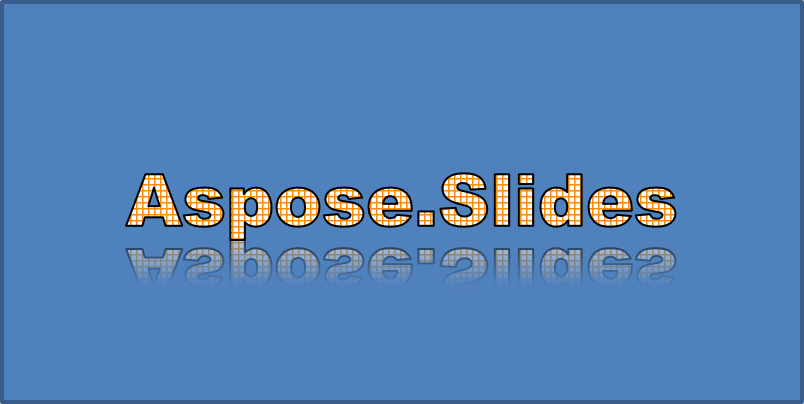
此示例调用 enableReflectionEffect,将反射垂直翻转,缩放为 -100%。使用 0.5 点的模糊半径和 4.72 点的距离。透明度在 0% 到 60% 之间的反射位置上从 60% 降至 0.9%:
use aspose\slides\FontData;
use aspose\slides\Presentation;
use aspose\slides\RectangleAlignment;
use aspose\slides\ShapeType;

$presentation = new Presentation();
try {
    $slide = $presentation->getSlides()->get_Item(0);

    $autoShape = $slide->getShapes()->addAutoShape(ShapeType::Rectangle, 20, 20, 400, 200);

    $portion = $autoShape->getTextFrame()->getParagraphs()->get_Item(0)->getPortions()->get_Item(0);
    $portion->setText("Aspose.Slides");
    $font = new FontData("Arial Black");
    $portion->getPortionFormat()->setLatinFont($font);
    $portion->getPortionFormat()->setFontHeight(36);

    $portion->getPortionFormat()->getEffectFormat()->enableReflectionEffect();
    $portion->getPortionFormat()->getEffectFormat()->getReflectionEffect()->setBlurRadius(0.5);
    $portion->getPortionFormat()->getEffectFormat()->getReflectionEffect()->setDistance(4.72);
    $portion->getPortionFormat()->getEffectFormat()->getReflectionEffect()->setStartPosAlpha(0);
    $portion->getPortionFormat()->getEffectFormat()->getReflectionEffect()->setEndPosAlpha(60);
    $portion->getPortionFormat()->getEffectFormat()->getReflectionEffect()->setDirection(90);
    $portion->getPortionFormat()->getEffectFormat()->getReflectionEffect()->setScaleHorizontal(100);
    $portion->getPortionFormat()->getEffectFormat()->getReflectionEffect()->setScaleVertical(-100);
    $portion->getPortionFormat()->getEffectFormat()->getReflectionEffect()->setStartReflectionOpacity(60);
    $portion->getPortionFormat()->getEffectFormat()->getReflectionEffect()->setEndReflectionOpacity(0.9);
    $portion->getPortionFormat()->getEffectFormat()->getReflectionEffect()->setRectangleAlign(RectangleAlignment::BottomLeft);
} finally {
    $presentation->dispose();
}
生成的文本:
应用发光效果
发光在文本周围添加柔和的彩色轮廓。通过调节颜色、不透明度和半径来控制效果。
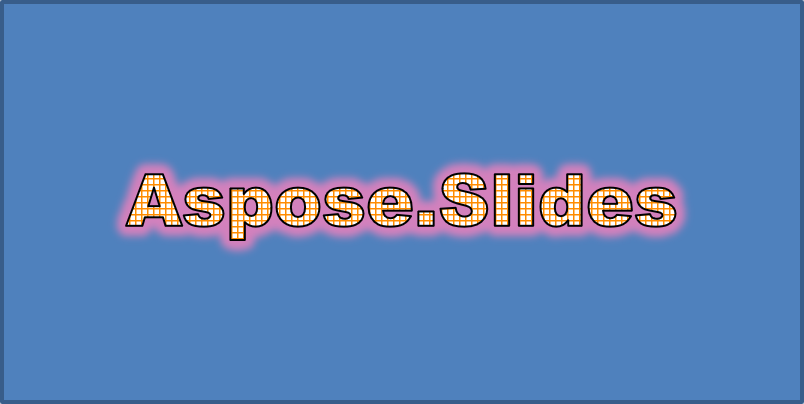
此示例调用 enableGlowEffect,应用红色发光,透明度为 54%,半径为 7 点:
use aspose\slides\ColorTransformOperation;
use aspose\slides\FontData;
use aspose\slides\Presentation;
use aspose\slides\ShapeType;

$presentation = new Presentation();
try {
    $slide = $presentation->getSlides()->get_Item(0);

    $autoShape = $slide->getShapes()->addAutoShape(ShapeType::Rectangle, 20, 20, 400, 200);

    $portion = $autoShape->getTextFrame()->getParagraphs()->get_Item(0)->getPortions()->get_Item(0);
    $portion->setText("Aspose.Slides");
    $font = new FontData("Arial Black");
    $portion->getPortionFormat()->setLatinFont($font);
    $portion->getPortionFormat()->setFontHeight(36);

    $portion->getPortionFormat()->getEffectFormat()->enableGlowEffect();
    $portion->getPortionFormat()->getEffectFormat()->getGlowEffect()->getColor()->setColor(java("java.awt.Color")->RED);
    $portion->getPortionFormat()->getEffectFormat()->getGlowEffect()->getColor()->getColorTransform()->add(ColorTransformOperation::SetAlpha, 0.54);
    $portion->getPortionFormat()->getEffectFormat()->getGlowEffect()->setRadius(7);
} finally {
    $presentation->dispose();
}
生成的文本:
应用WordArt变换
WordArt 变换可以弯曲、拉伸或扭曲一段文本。
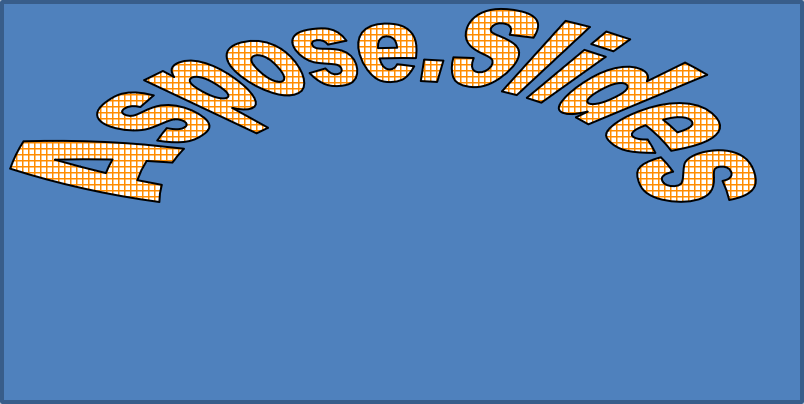
将 setTransform 设置为 ArchUpPour 以让整个文本框向上弧形:
use aspose\slides\Presentation;
use aspose\slides\ShapeType;
use aspose\slides\TextShapeType;

$presentation = new Presentation();
try {
    $slide = $presentation->getSlides()->get_Item(0);

    $autoShape = $slide->getShapes()->addAutoShape(ShapeType::Rectangle, 20, 20, 400, 200);

    $textFrame = $autoShape->getTextFrame();
    $textFrame->setText("Aspose.Slides");
    $textFrame->getTextFrameFormat()->setTransform(TextShapeType::ArchUpPour);
} finally {
    $presentation->dispose();
}
生成的文本:
Note
Aspose.Slides for PHP via Java 提供了一组预定义的 transformation types。对形状和文本应用3D效果
您可以对形状或其文本应用 3D 效果。倒角、拉伸、光照和摄像机设置决定最终外观。
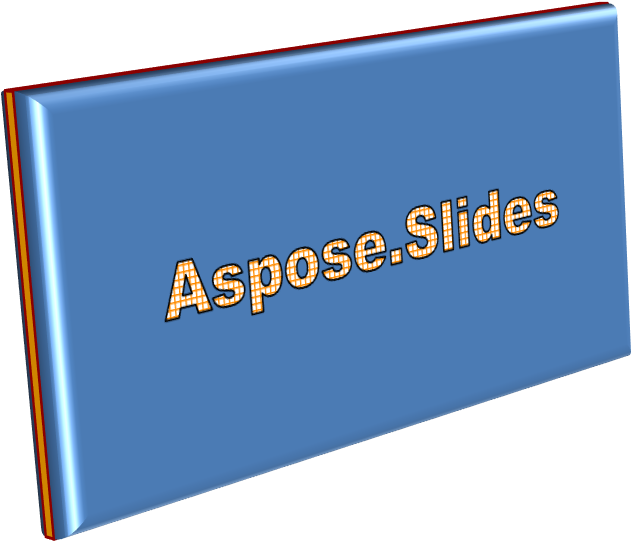
以下示例使用 ThreeDFormat 为矩形添加圆形倒角、橙色拉伸和深红色轮廓。倒角尺寸、拉伸高度、轮廓宽度和深度均以点为单位。塑料材质、围绕 Z 轴旋转 40 度的平衡光照以及透视摄像机定义了其外观:
use aspose\slides\BevelPresetType;
use aspose\slides\CameraPresetType;
use aspose\slides\LightRigPresetType;
use aspose\slides\LightingDirection;
use aspose\slides\MaterialPresetType;
use aspose\slides\Presentation;
use aspose\slides\ShapeType;

$presentation = new Presentation();
try {
    $slide = $presentation->getSlides()->get_Item(0);

    $autoShape = $slide->getShapes()->addAutoShape(ShapeType::Rectangle, 20, 20, 400, 200);
    $autoShape->getTextFrame()->setText("Aspose.Slides");

    $autoShape->getThreeDFormat()->getBevelBottom()->setBevelType(BevelPresetType::Circle);
    $autoShape->getThreeDFormat()->getBevelBottom()->setHeight(10.5);
    $autoShape->getThreeDFormat()->getBevelBottom()->setWidth(10.5);

    $autoShape->getThreeDFormat()->getBevelTop()->setBevelType(BevelPresetType::Circle);
    $autoShape->getThreeDFormat()->getBevelTop()->setHeight(12.5);
    $autoShape->getThreeDFormat()->getBevelTop()->setWidth(11);

    $orange = new Java("java.awt.Color", 255, 165, 0);
    $autoShape->getThreeDFormat()->getExtrusionColor()->setColor($orange);
    $autoShape->getThreeDFormat()->setExtrusionHeight(6);

    $darkRed = new Java("java.awt.Color", 139, 0, 0);
    $autoShape->getThreeDFormat()->getContourColor()->setColor($darkRed);
    $autoShape->getThreeDFormat()->setContourWidth(1.5);

    $autoShape->getThreeDFormat()->setDepth(3);

    $autoShape->getThreeDFormat()->setMaterial(MaterialPresetType::Plastic);

    $autoShape->getThreeDFormat()->getLightRig()->setDirection(LightingDirection::Top);
    $autoShape->getThreeDFormat()->getLightRig()->setLightType(LightRigPresetType::Balanced);
    $autoShape->getThreeDFormat()->getLightRig()->setRotation(0, 0, 40);

    $autoShape->getThreeDFormat()->getCamera()->setCameraType(CameraPresetType::PerspectiveContrastingRightFacing);
} finally {
    $presentation->dispose();
}
生成的形状:
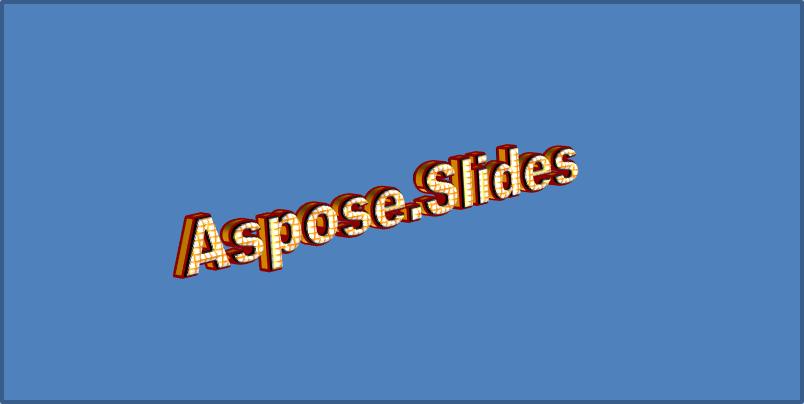
此示例通过 TextFrameFormat::getThreeDFormat 对文本应用类似的 3D 格式。较小的倒角塑造字母边缘,拉伸和光照赋予文本深度:
use aspose\slides\BevelPresetType;
use aspose\slides\CameraPresetType;
use aspose\slides\LightRigPresetType;
use aspose\slides\LightingDirection;
use aspose\slides\MaterialPresetType;
use aspose\slides\Presentation;
use aspose\slides\ShapeType;

$presentation = new Presentation();
try {
    $slide = $presentation->getSlides()->get_Item(0);

    $autoShape = $slide->getShapes()->addAutoShape(ShapeType::Rectangle, 20, 20, 400, 200);
    $textFrame = $autoShape->getTextFrame();
    $textFrame->setText("Aspose.Slides");

    $textFrame->getTextFrameFormat()->getThreeDFormat()->getBevelBottom()->setBevelType(BevelPresetType::Circle);
    $textFrame->getTextFrameFormat()->getThreeDFormat()->getBevelBottom()->setHeight(3.5);
    $textFrame->getTextFrameFormat()->getThreeDFormat()->getBevelBottom()->setWidth(3.5);

    $textFrame->getTextFrameFormat()->getThreeDFormat()->getBevelTop()->setBevelType(BevelPresetType::Circle);
    $textFrame->getTextFrameFormat()->getThreeDFormat()->getBevelTop()->setHeight(4);
    $textFrame->getTextFrameFormat()->getThreeDFormat()->getBevelTop()->setWidth(4);

    $orange = new Java("java.awt.Color", 255, 165, 0);
    $textFrame->getTextFrameFormat()->getThreeDFormat()->getExtrusionColor()->setColor($orange);
    $textFrame->getTextFrameFormat()->getThreeDFormat()->setExtrusionHeight(6);

    $darkRed = new Java("java.awt.Color", 139, 0, 0);
    $textFrame->getTextFrameFormat()->getThreeDFormat()->getContourColor()->setColor($darkRed);
    $textFrame->getTextFrameFormat()->getThreeDFormat()->setContourWidth(1.5);

    $textFrame->getTextFrameFormat()->getThreeDFormat()->setDepth(3);

    $textFrame->getTextFrameFormat()->getThreeDFormat()->setMaterial(MaterialPresetType::Plastic);

    $textFrame->getTextFrameFormat()->getThreeDFormat()->getLightRig()->setDirection(LightingDirection::Top);
    $textFrame->getTextFrameFormat()->getThreeDFormat()->getLightRig()->setLightType(LightRigPresetType::Balanced);
    $textFrame->getTextFrameFormat()->getThreeDFormat()->getLightRig()->setRotation(0, 0, 40);

    $textFrame->getTextFrameFormat()->getThreeDFormat()->getCamera()->setCameraType(CameraPresetType::PerspectiveContrastingRightFacing);
} finally {
    $presentation->dispose();
}
生成的文本:
Note
将 3D 效果应用于文本或其形状——以及这些效果之间的交互——受特定规则约束。考虑包含文本的形状及其所在的场景。3D 效果包括对象的 3D 表示以及其所在的场景。
- 如果形状和文本都设置了场景,则以形状的场景为优先,文本的场景被忽略。
- 如果形状没有自己的场景但具有 3D 表示,则使用文本的场景。
- 如果形状根本没有 3D 效果,则视为平面,仅对文本应用 3D 效果。
这些行为与 ThreeDFormat::getLightRig 和 ThreeDFormat::getCamera 方法相关。
欲获取更多 3D 格式化示例,请参阅 Create 3D Effects in Presentations Using PHP。
常见问题
是否可以在不同字体或文字系统(例如阿拉伯语、中文)中使用 WordArt 效果?
可以,Aspose.Slides for PHP via Java 支持 Unicode,并兼容所有主流字体和文字系统。阴影、填充和轮廓等 WordArt 效果均可在任何语言下应用,尽管具体字体的可用性和渲染可能受系统字体限制。
可以将 WordArt 效果应用于母版幻灯片元素吗?
可以,您可以对母版幻灯片上的形状(如标题占位符、页脚或背景文字)应用 WordArt 效果。对母版布局的更改会在所有使用该母版的幻灯片中生效。
WordArt 效果会影响演示文稿的文件大小吗?
会有轻微影响。阴影、发光和渐变填充等效果会增加少量格式化元数据,从而略微增大文件体积,但通常可以忽略不计。
是否可以在不保存演示文稿的情况下预览 WordArt 效果的结果?
可以,您可以使用 Slide::getImage 将包含 WordArt 的幻灯片渲染为图像(如 PNG、JPEG),或使用 Shape::getImage 渲染单个形状。这样即可在内存中或屏幕上预览效果,而无需保存或导出完整的演示文稿。